

The best update I never noticed
On September 17, the speech model underneath my voice got swapped out. I didn’t notice. That was the point.
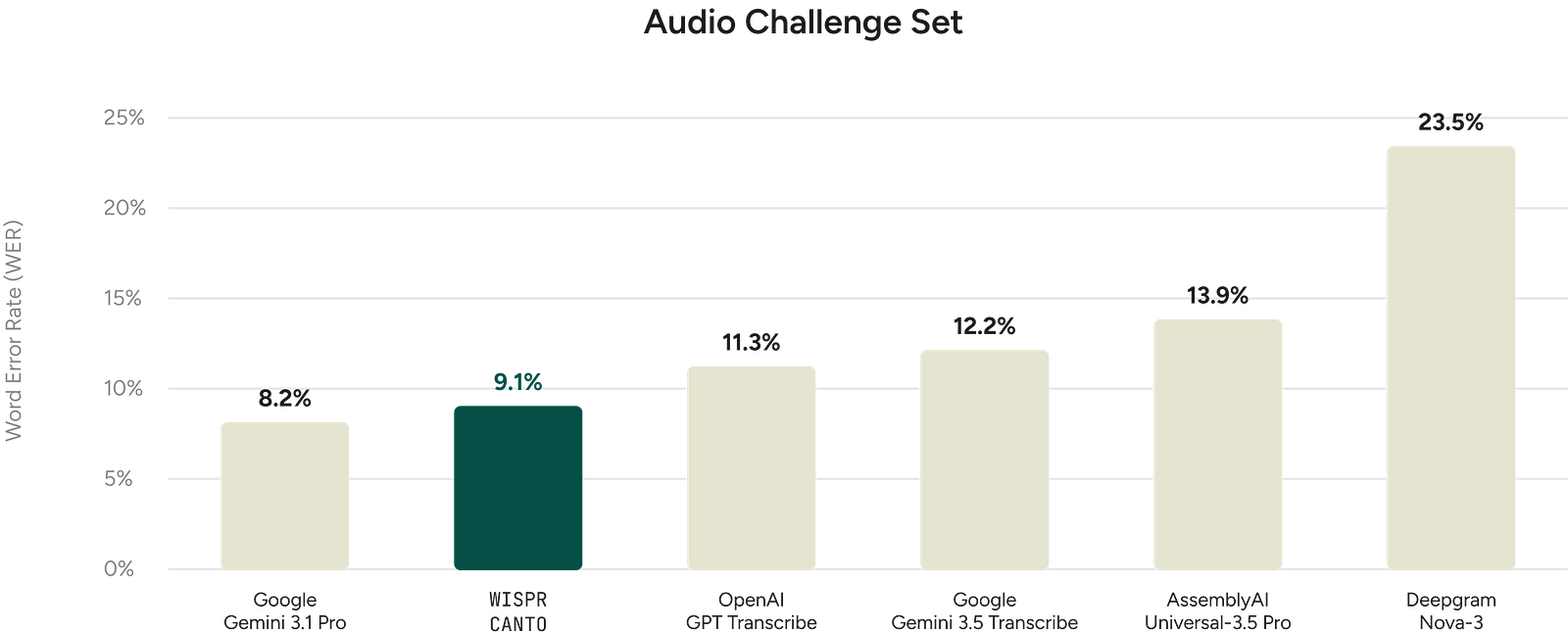
Wispr Flow rolled out Canto, the first speech model the company trained itself, to every user with nothing to switch on. On Wispr’s own test of real-world recordings from more than 2,300 speakers, it beat models from Google, OpenAI, AssemblyAI and Deepgram on word error rate. A month earlier, the company raised $280 million at a $2 billion valuation.
Most AI companies would have turned a proprietary model into a dropdown and a banner. Wispr turned it into silence.
I dictate most of my first drafts now, this one included. The longer I use Flow, the clearer it gets: its real product isn’t transcription. It’s a set of refusals.
It refuses to be a destination
Flow has no canvas you’re supposed to live in. You hold a key, talk, and polished text appears wherever your cursor already is: Slack, a Figma comment, a terminal running Claude Code. The only persistent UI is the Flow Bar, a small pill at the edge of the screen.
Even that pill gets policed. In July the team made it draggable because it could land right on top of Gmail’s send button. On Android, the bubble shrinks to a dot after five idle seconds.
This inverts the engagement playbook, where success means time in app. Flow wins when you leave fastest.
It refuses the chat box
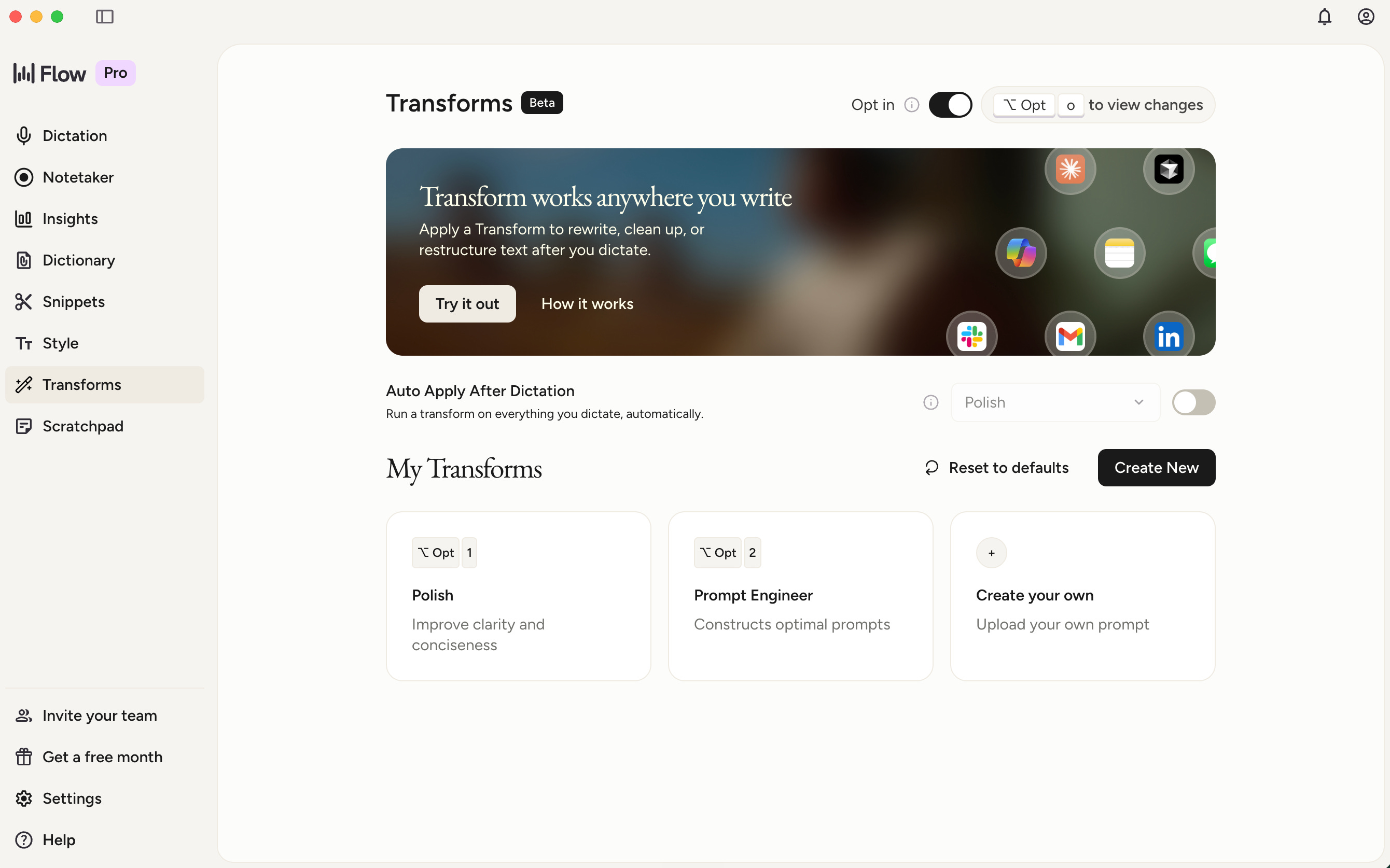
Transforms goes further. Highlight any text, press a shortcut, and Flow rewrites it in place. No chat window, no copy-paste: the selection is the prompt. It ships with Polish and Prompt Engineer presets; you can add your own.
The risk is the one I keep writing about. Set a transform to run after every dictation and everything you say sounds like everyone else
.
It refuses to make you pick the model
AI tools love exposing their plumbing: model pickers, “fast vs. smart” toggles. Flow keeps everyone on one model, so, as a June changelog put it, any improvement reaches everyone at once. Canto arrived exactly that way.
That’s a stance on responsibility. If the transcription is wrong, that’s Wispr’s problem, not a setting you forgot to change.
It refuses to interrupt you
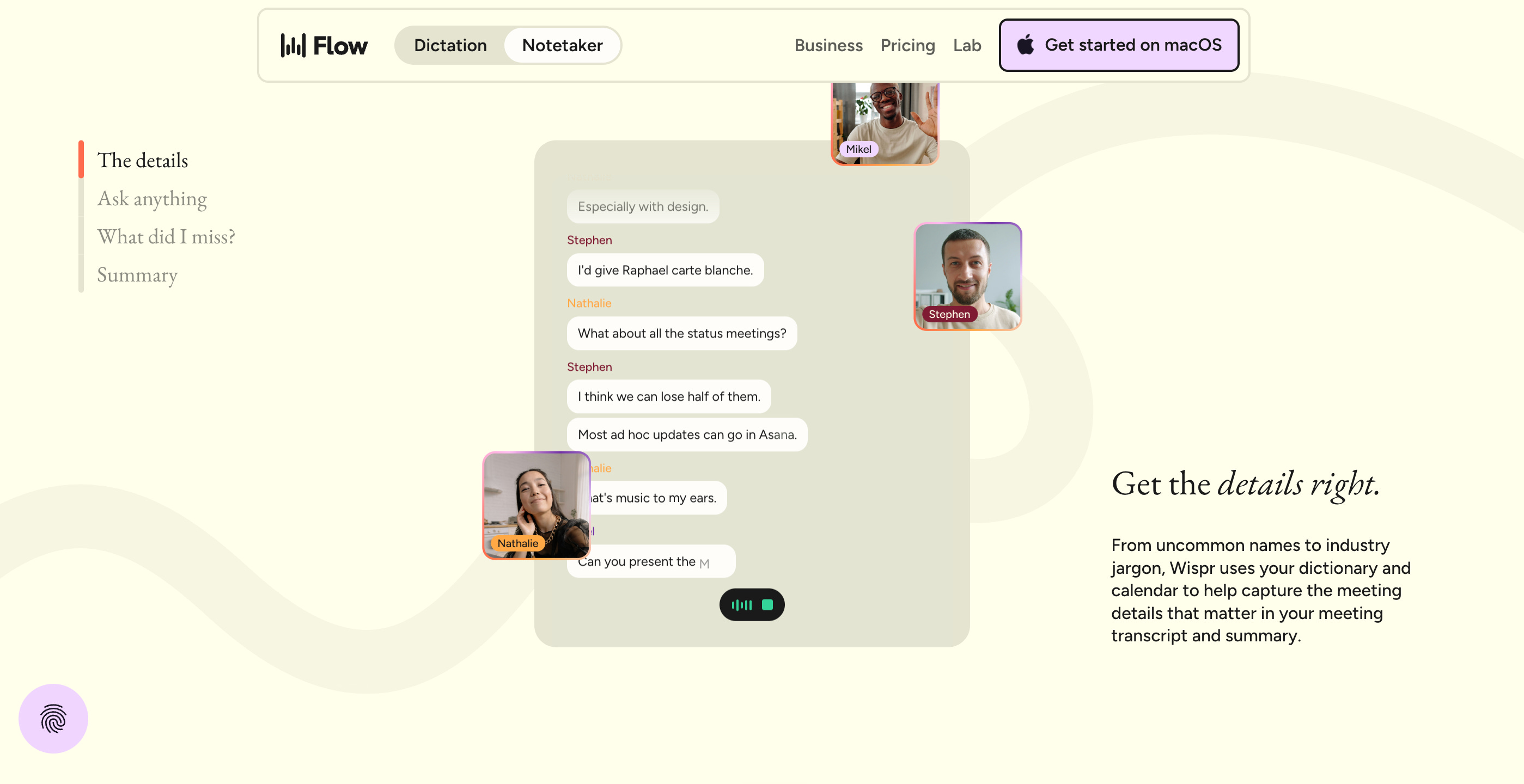
Updates now wait until you step away instead of restarting mid-task. The new Notetaker, which reached Windows on September 15, records from your device, so no bot joins the call.
Each change is tiny. Together they describe a product that treats your attention as the scarcest resource on the screen
.
It refuses to pretend nothing broke
This is the part that earned my respect. This summer Flow had outages and a visible accuracy dip, and users complained publicly. Instead of vague “improvements,” the changelog named causes: an Auto Cleanup setting that was too aggressive for some people, a share of dictations still handled by older models, infrastructure strained by growth.
Honesty is a design decision too. When the interface disappears, trust is the only surface left.
The sticky note test
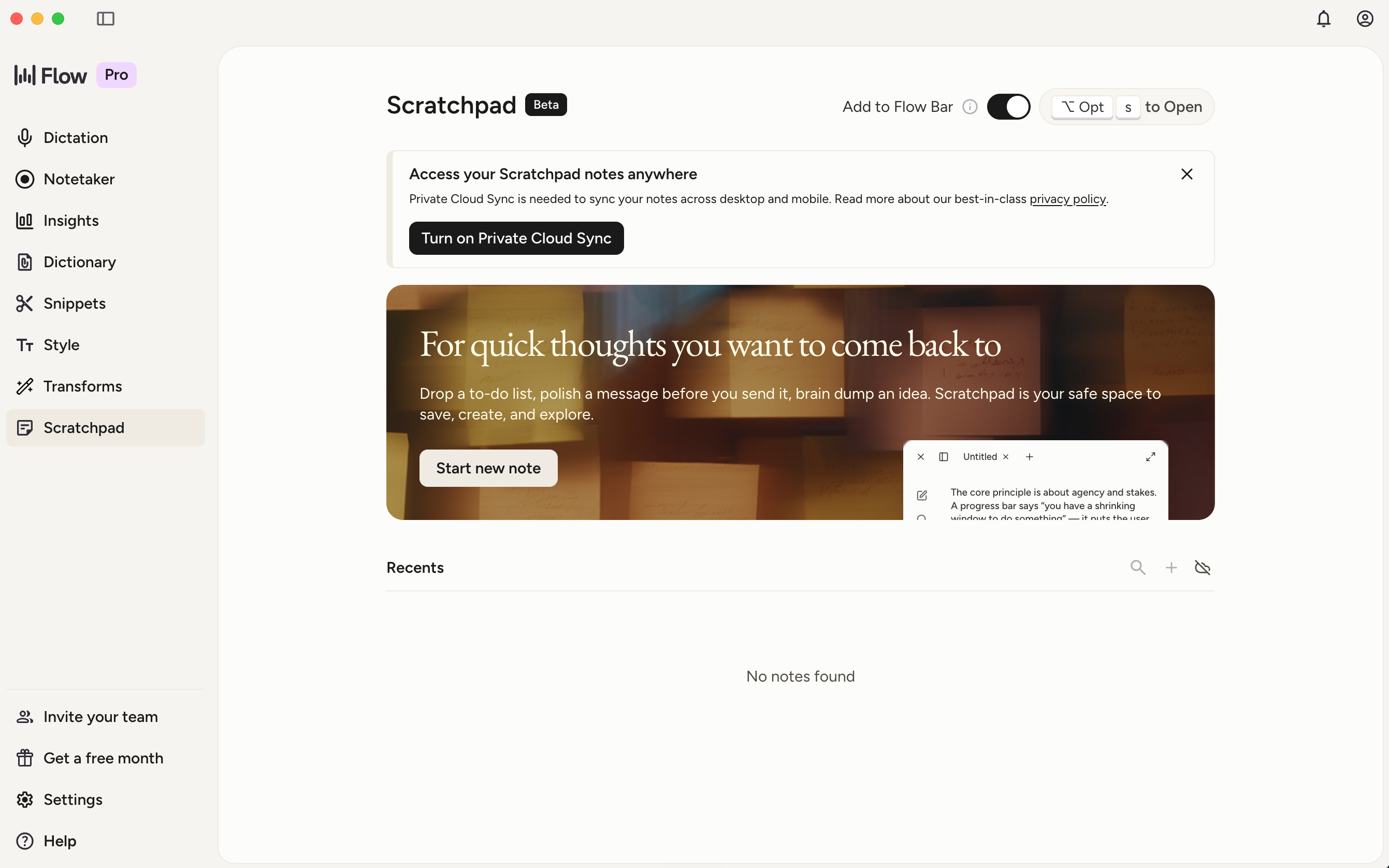
Scratchpad answers a harder question: what happens when your words have nowhere to land yet? Most tools send you to a notes app; Flow sends the notes to you. Press Option + S on a Mac and a notepad floats over whatever you’re doing, like a sticky note on your monitor. You talk, it saves, you’re back.
Even here, Wispr refused a shortcut. Syncing notes across devices meant storing data on its servers, so in June the team made Cloud Sync a separate opt-in instead of quietly weakening Privacy Mode.
But the feature list keeps growing: tabs, version history, a sidebar, tags, pinning, images. None is unreasonable alone. Stacked up, they sketch a notes app. I’m watching which way it tips.
Where the taste gets tested
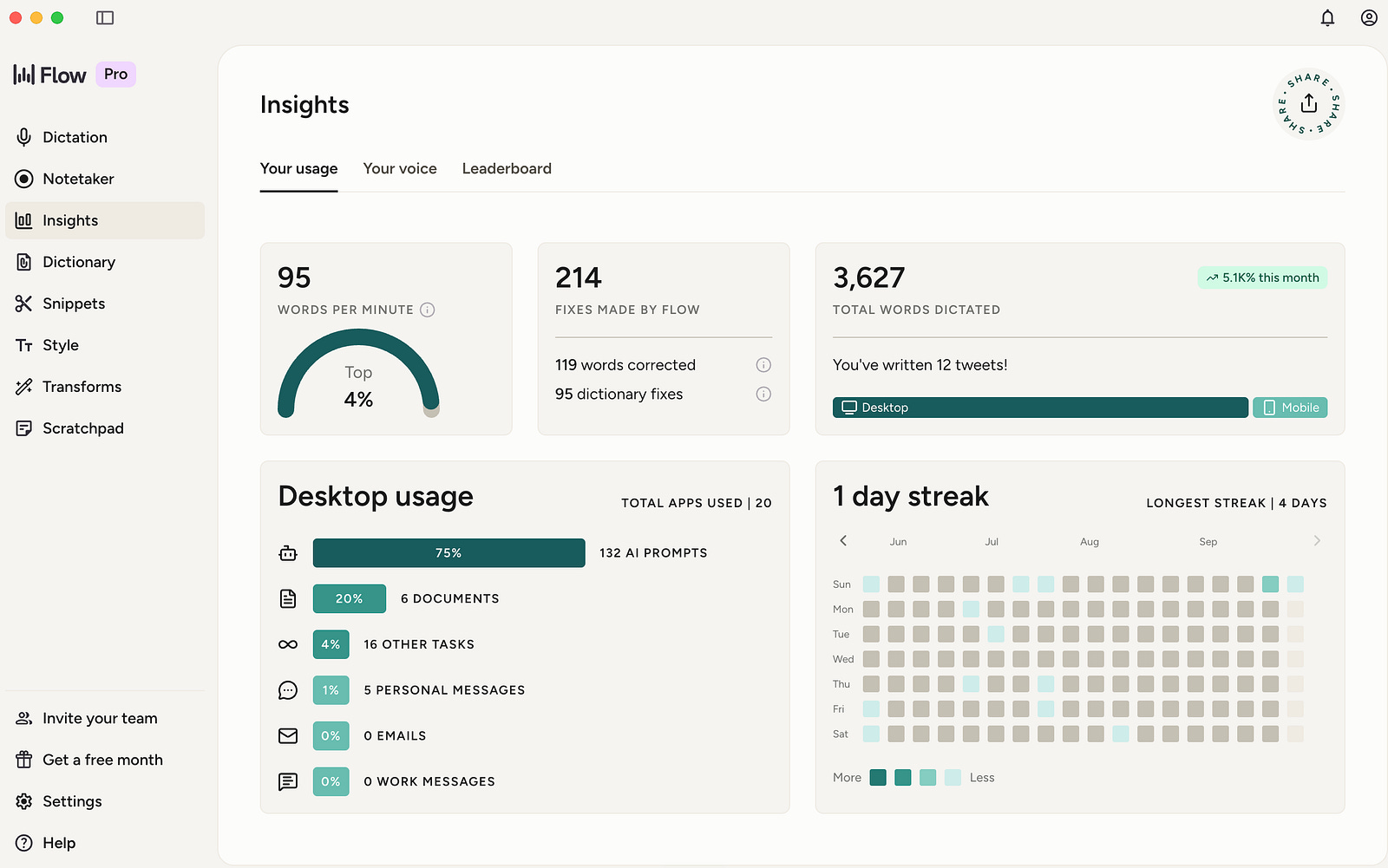
Not every choice fits the pattern. Flow added an Insights tab with a words-per-minute comparison, a “Your Voice” personality archetype, and team leaderboards. For a tool whose best quality is invisibility, gamified dictation stats feel borrowed from a different product.
Notetaker has already tipped. It’s useful, with summaries, cross-meeting search, and MCP access for Claude or ChatGPT. It’s also the first thing in Flow you’re meant to open.
I feel this pull in my own work. With the conversation-rehearsal app I’m building, every instinct says add more screens, more stats, more reasons to come back. The harder call is accepting that the best session might be the one where someone forgets the app exists and just talks.
What product people can steal from this
Ask where the output lands. If the answer is “inside our app,” ask whether it could land where the user already works.
Own what you’re tempted to expose. Every model toggle is a decision you’ve handed back to the user.
Write the honest changelog before you need it. Invisible products live or die on trust, and trust is built in the bad weeks.
The open question
Wispr’s founder has said he wants voice to replace the keyboard. So here’s what I keep wondering: can a product stay invisible while it grows into a platform? Or does every quiet tool eventually need a home screen?
Which product in your stack has earned the right to disappear?
References
Wispr Flow, “What’s new” changelog (Canto rollout, Sept 17, 2026; Notetaker on Windows, Sept 15, 2026; Cloud Sync and reliability updates, June to July 2026; Scratchpad and Transforms betas, May 1, 2026). https://wisprflow.ai/whats-new
Wispr Flow, Canto research post. https://wisprflow.ai/canto
Ivan Mehta, “Wispr raises $280M at $2B valuation as it looks beyond dictation,” TechCrunch, Aug 17, 2026. https://techcrunch.com/2026/08/17/wispr-raises-280m-at-2b-valuation-as-it-looks-beyond-dictation/
Chandra R Srikanth and Bhavya Dlipkumar, “In search of Ironman’s Jarvis: Why Wispr Flow’s Tanay Kothari wants voice to replace the keyboard,” Moneycontrol, Jan 7, 2026. https://www.moneycontrol.com/news/business/startup/in-search-of-ironman-s-jarvis-why-wisprflow-s-tanay-kothari-wants-voice-to-replace-the-keyboard-13760781.html
Wispr Flow Help Center, “Using the Scratchpad to save and edit notes.” https://docs.wisprflow.ai/articles/9618237082-using-the-scratchpad-to-save-and-edit-notes
Wispr Flow Help Center, “How to use Transforms (beta).” https://docs.wisprflow.ai/articles/8068950331-how-to-use-transforms-beta
Wispr Flow status history. https://statuspage.incident.io/wispr-flow/history